
Traffic Court Records in Alcona County
Traffic matters in Alcona County route to the 81st District Court. That court handles citations, civil infractions, and ordinance violations. There is no separate municipal court here; the district court serves as the traffic court. Its cases sit inside the state court system, so a ticket may show up with a case number, the charge or civil infraction, case history, a hearing setting, financial events, and public order information where available.
Pair the ticket with the case record. MiCOURT shows public case detail and a next hearing. The 81st District Court clerk handles copies, certified dispositions, and anything not online. The Harrisville court sits at 106 5th Street, 989-724-9500.
Alcona County 81st District Traffic Records
The 81st District Court is the office that holds Alcona County traffic records. When the ticket names that court, start with the court-scoped 81st District MiCOURT search. The docket search can pull up the case, its court dates, and the filings so far. It does not replace the official file or a clerk-certified copy. Some matters are older, restricted, or left out of the public index. A clerk inquiry may still be the only route.
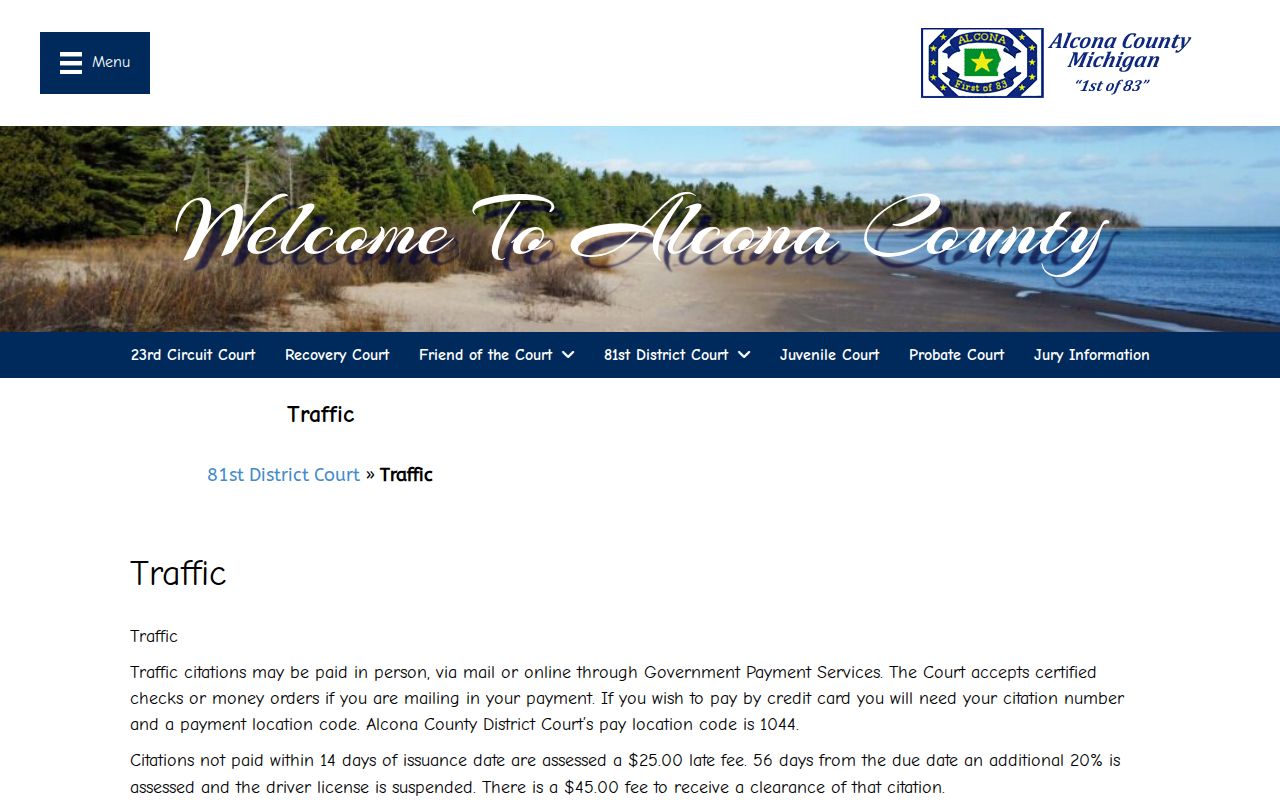
For paying a traffic ticket in Alcona County, use the county's 81st District traffic page. That official page lays out the payment options. MiCOURT remains the tool for case history and hearing dates on the traffic docket.
Keep the citation number after any transaction. It ties the ticket to the court case when the payment service and the case search display differently.
How to Look Up a Traffic Ticket
Use the exact citation or case number when you have it. MiCOURT also accepts a name. Name search needs at least two characters in Last Name or Business; First Name, Middle Name, and a four-digit Birth Year are optional. For a number search, enter the exact citation number, with Case Year and Type as optional narrowers.
- Read the ticket for the issuing court, citation or case number, due date, and appearance instruction.
- Open MiCOURT and use Case Number Search with the exact number, or Name Search when the ticket is not at hand.
- Select the Criminal/Traffic/Civil Infractions category and use status, filed-date, or offense-date filters only after the base search works.
- Open the case detail and note the court, next hearing, public status, and any balance or payment link shown there.
- If no result appears, call 989-724-9500 or visit the 81st District clerk counter. Ask whether the ticket is too new, filed under another number, excluded from display, or reset.
Alcona County Traffic Record Search Fields
MiCOURT searches public court case information. Government Payment Services only routes a payment to the local court. A payment location code cannot stand in for a case-number search, and a completed transaction does not display the case history.
| Traffic lookup surface | Field or control | Use |
|---|---|---|
| MiCOURT Name Search | Last Name or Business | Required for name search; at least two characters and no wildcard. |
| MiCOURT Name Search | First, Middle, Birth Year | Optional narrowing fields; public search uses birth year, not a full date of birth. |
| MiCOURT Case Number Search | Number | Required. Use the exact case, citation, or petition number without a wildcard. |
| MiCOURT filters | Category, status, filed or offense date | Optional filters, including Criminal/Traffic/Civil Infractions. |
| Government Payment Services | Payment location code 1044 | Selects the court payment route, then asks for the current payment information. |
| Court Display | Date, Party Name, Time, Room, Case Number | Public calendar output for a selected date, not a citation-number form. |
Finding Your Traffic Court Date
Read the ticket first. Search the number in MiCOURT and check Next Hearing. Court Display offers a second check for the selected date, showing Party Name, Time, Room, and Case Number where published. If the ticket, case detail, and display conflict, call the district court before relying on an older entry.
| Citation or case number | Use the exact number printed on the ticket. No universal Alcona citation format is published. EXACT NUMBER FROM CITATION |
|---|---|
| Court | 81st District Court for Alcona traffic, civil-infraction, and ordinance matters. |
| Next Hearing | MiCOURT case-detail field for the currently displayed future setting, with date, time, type, and related details when available. |
| Calendar check | Court Display can show the date, party name, time, room, and case number for a selected day. |
| Current status | Read the case history as well as the forward-looking setting. A case status or balance field is not a substitute for clerk confirmation. |
Alcona County Traffic Court Hearing Checks
A reset can leave an earlier event in the case history. A newer setting may appear under Next Hearing. Court Display is only a date view, so an empty date does not prove the case has no future setting. Alcona publishes no reset-code glossary, refresh schedule, or general remote-hearing page. Compare the ticket, case detail, and calendar row, then call if they differ.
For a date-specific view, use the official MiCOURT Court Display. A newer court order or clerk confirmation controls if the display runs stale. The county court calendar page explains the same calendar route.
Paying or Contesting a Ticket
Alcona's local traffic material lists in-person, mail, and online payment channels. Mail payment means a certified check or money order. Confirm the payee and delivery instructions before mailing. A vendor receipt only confirms a transaction, not the court's disposition or certified record.
No complete contest procedure, full plea deadline, or local hearing-request timetable is published locally. Never assume payment is the only response. Follow the citation's instructions. Contact the 81st District Court promptly to verify the current method and deadline for any response other than payment.
| Paying the Ticket | Contesting the Ticket |
|---|---|
| Use the approved in-person, mail, or online payment channel stated for the citation. | Follow the citation and obtain the court’s current instructions because the local page does not publish a complete contest process. |
| For online payment, use the payment code only as the payment route, not as a case-record search. | Call 989-724-9500 promptly to confirm the response method, court setting, and any deadline that applies to the cited matter. |
| Retain the citation number and check the case record for the court’s recorded disposition. | Use MiCOURT and the clerk to confirm the case number and current court date before acting on a public calendar row. |
Late payment or missed appearance: The local page does not publish a separate failure-to-appear schedule, so do not infer a warrant or a particular outcome from a missing web entry. It states a $25 late fee after 14 days from issuance and, after 56 days from the due date, an additional 20 percent and possible suspension, plus a stated $45 clearance fee. The 81st District clerk must confirm whether those statements apply to the citation and its dates.
Alcona County Traffic Payment Code 1044
Government Payment Services lists Alcona's payment location as code 1044. That code routes a payer into the court payment workflow, but it does not locate all case records, print the case history, or prove the final disposition. Payment-service help is listed at 888-604-7888. The official Government Payment Services code 1044 page shows the payment details.
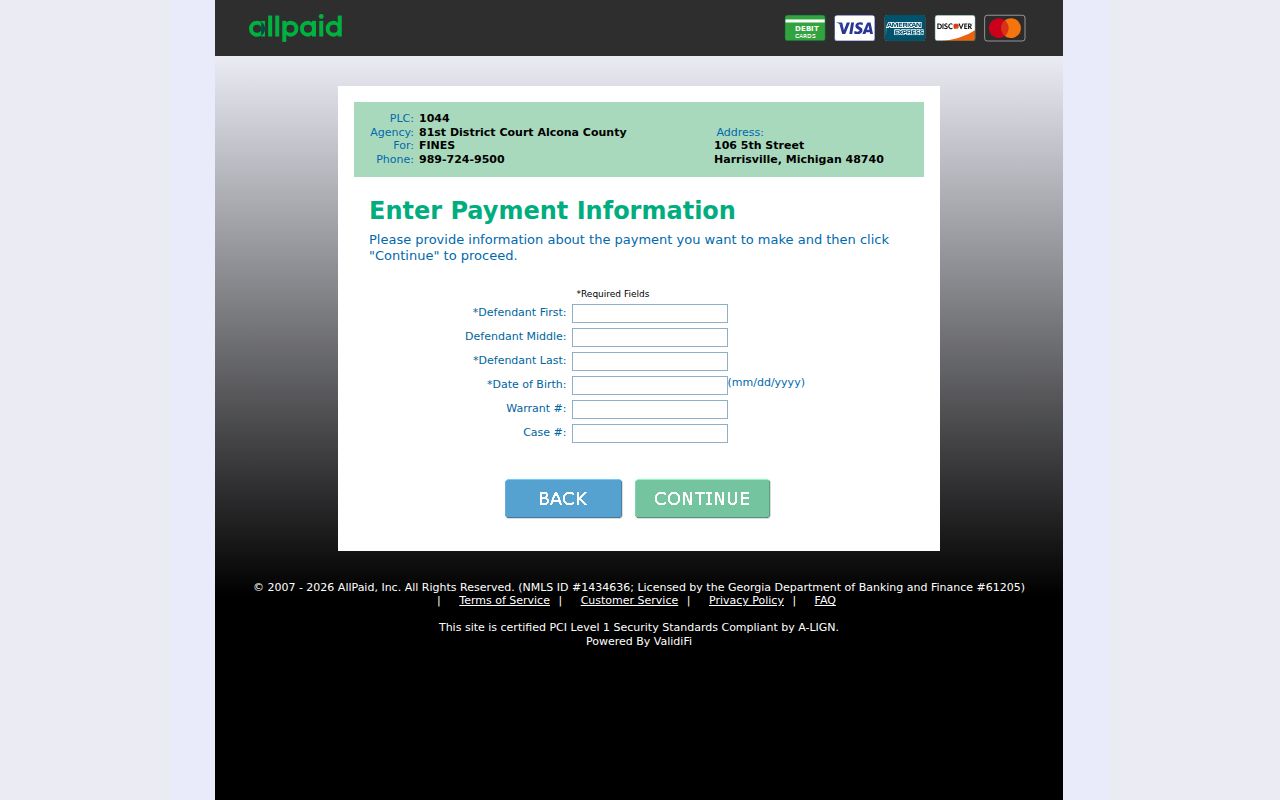
After paying, keep the citation number and compare the vendor confirmation against the court case record. The payment page and MiCOURT are related local channels, yet each answers a different question.
Court Traffic Record vs Driver Record
These are two files held by two offices. The Alcona court file belongs to the 81st District Court. A state driver record belongs to the Michigan Secretary of State, not the Alcona clerk. The court-record route remains the focus.
| Custody question | Court traffic record | State driver record |
|---|---|---|
| Held by | 81st District Court and its district-court clerk staff. | Michigan Secretary of State. |
Alcona County Traffic Court Record Confirmation
A receipt from an online payment is not a traffic court record. The docket tells you more. It can list hearings, settings, and payment events. Public orders and the final disposition on the case can appear there too. So a ticket you already paid may still carry a court-recorded outcome worth confirming. Pull the case number first. Check it against the ticket, the MiCOURT detail page, and anything the clerk prints for you.
When the online answer falls short, call the 81st District clerk. Ask about the specific record. The clerk posts no public citation kiosk in Alcona County. No local search exists beyond MiCOURT. A county FOIA request reaches administrative records, not the traffic case file itself. The phone, the counter, and whatever channel the court directs you to remain the fallbacks.
Fees and Copies
Alcona County publishes what happens when a traffic payment is late, but it lists no local fee for plain or certified copies of a traffic case. Ask the 81st District clerk to quote the copy. That quote should cover the page count. It should also cover the certification amount and how to pay. Keep late-fee timing separate from any record-copy charge. One is a penalty, the other is a copy cost.
| Item | Fee or instruction | Notes |
|---|---|---|
| Late fee | $25 | Local page states this applies after 14 days from issuance. Confirm the calculation with the court. |
| Later delinquency | Additional 20 percent | Local page states this after 56 days from the due date, with possible suspension. |
| Clearance | $45 | Amount stated on the local traffic page; confirm whether it applies to the case. |
| Court copy or certification | Not published locally | Ask the 81st District clerk for the record-specific amount. |
| Online payment | Government Payment Services, code 1044 | The vendor may display a current transaction charge. |
| Mail payment | Certified check or money order | Confirm the payee and mailing instructions before sending payment. |
Certified Alcona County Traffic Court Records
Want a certified traffic court record or an official disposition? Request it from the 81st District clerk. Do not settle for a browser printout or a vendor receipt. Give the citation or case number. Say exactly what you need: case history, disposition, order, or some other public document.
For an older paper ticket that never made it online, go to the Harrisville counter during county-building hours. Hours run 8:30 a.m. to 4:30 p.m. Monday through Friday. It closes noon to 1:00 p.m. for lunch. A quick call first saves a trip. The fax line is 989-724-9509. It works for a request only if the clerk says it may be used that way.